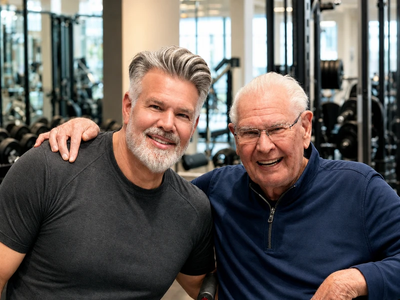
This one is personal for us.
Dave Manzer, our co-founder, started ElderFIT because of an experience with his own dad, who began working with a personal trainer at the tender age of 86. Because Dave lived in Austin and his dad lived in Birmingham, he couldn't be present for his dad’s workouts. Nor was the trainer able to provide Dave with any notes or visuals of his dad working out to monitor progress and see his improvements firsthand.
That frustration is what led to him founding ElderFIT.
In other words, we built this for people who are going through what Dave experienced: helping senior parents or relatives to exercise and see them making progress even if they can’t be there in person.
What You'll See
Our trainers capture the exercises that matter most for staying independent at home:
- Mobility: steadier walking, stepping and turning
- Functional strength: sit-to-stands, carries and stairs
- Stamina: longer, steadier sessions as endurance builds
- Smiles: that proud look after a tough set
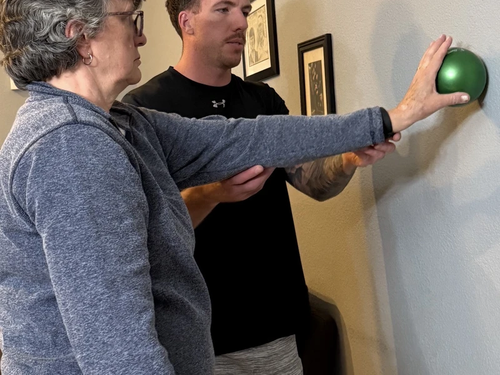
Each ElderFIT Moment pairs with your trainer's notes and progress reports, so you can see your parent's fitness progress and understand what's behind it. For families managing long-distance caregiving, that peace of mind is everything.
Short, clear photos and videos of aging parents exercising also make family conversations easier. Send encouragement after a great session, or share a new milestone at the next family call. Small proof points like these ease a lot of worry.
Built on ElderFIT “Family Accounts”
ElderFIT Moments build on our Family Accounts, which let siblings, spouses and caregivers stay in the loop together. Whether you're supporting one parent or both parents training side by side, everyone on the account can celebrate the wins. New to ElderFIT? Here's how a family member can sign up a senior.
Privacy and Dignity Come First
We take this responsibility seriously. Photos and videos of aging parents exercising are personal, so we've built ElderFIT Moments around clear rules:
- Opt-in only. Nothing is captured unless you sign up, and your loved one can say no at any session.
- No identifying details. Our trainers endeavor to frame every shot to keep house numbers, mail, family photos and other personal details out of view.
- Private delivery. Moments are shared only through your secure ElderFIT account, never on social media.
- Dignity always. Trainers never capture struggles, falls or uncomfortable moments. Safety comes before any photo.
- Your choice. Turn the feature off anytime.
How to Turn On ElderFIT Moments
- Log in to your ElderFIT account and visit the Session Photos & Videos settings
- Click the checkbox to opt in and confirm
- Your moments arrive after the trainer has taken photos or videos at one of your next sessions.
Your first Moments arrive after the next session.
Quick Answers
Does this feature cost extra? [Confirm: No, it's included with in-home personal training for seniors at no additional cost.]
Can my parent say no? Yes. Your loved one can decline at any session, no questions asked.
Who can see the photos and videos? Only the people on your ElderFIT family account.
See Every Win
At ElderFIT, we believe the best part of in-home personal training for seniors is the progress families get to share. You can't be at every session. Now you can see every win.
Turn On ElderFIT Moments (You need to be logged in)
Want to learn more about how we work? Read What Is ElderFIT? or explore building a fitness care plan for seniors.